Craft Your Ideal Work from Home Desk Setup

A lot of homes around Norwich still have the same scene tucked into a corner somewhere. A laptop on the dining table. A dining chair doing office duty far longer than it should. Chargers draped across the floor. Papers stacked beside placemats because the room still has to work for breakfast, homework, and dinner by the end of the day.
That setup made sense when working from home felt temporary. It doesn't feel temporary anymore. Before 2020, only about 5 to 7% of paid workdays in the U.S. happened at home. That jumped to roughly 60% during lockdowns and settled near 25% by 2025, which means remote and hybrid work remain more than three times higher than before the pandemic, according to work-from-home trend data.
For local families, that changes the conversation. A proper work from home desk setup isn't a spare-room luxury. It's part of how a home works now. Since 1936, this family-owned Norwich business has helped Eastern CT households choose furniture that fits real rooms, real routines, and real budgets. The same thinking applies to home offices. The setup has to feel comfortable, look right in the home, and keep working long after the novelty wears off.
Table of Contents
- From Dining Table to Dream Desk
- Plan Your Space with Ergonomics and Measurement
- Choose Your Anchor Pieces The Desk and Chair
- Arrange Your Tech for Daily Comfort
- Master Lighting Storage and Cable Management
- Find Your Style and Budget
From Dining Table to Dream Desk
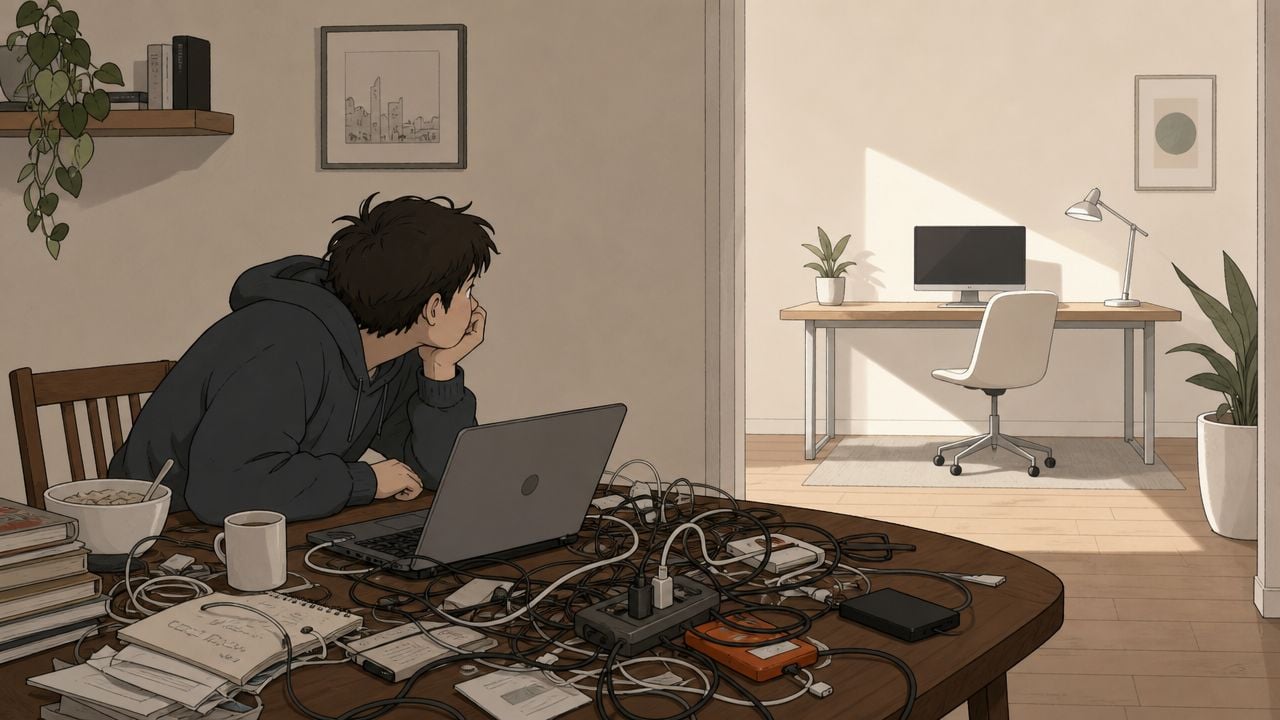
The dining table is one of the most expensive places in the house to work badly. It's usually the wrong height for long keyboard use, it rarely leaves enough room for papers and a screen, and it never lets the mind fully switch off because work stays in the middle of family space.
That's why many households eventually reach the same conclusion. The makeshift corner needs to become a real workstation. Not a corporate cubicle. A calm, comfortable area that supports daily work and still belongs in the home.
A useful home office doesn't need a dedicated bonus room. It needs intentional choices. A spare bedroom can take a proper desk. A living room can hold a compact writing desk with closed storage. A guest room can use a wall-friendly setup that feels residential instead of clinical.
Practical rule: If a household uses the same spot for work week after week, that spot deserves furniture chosen for work, not furniture borrowed from another job.
One of the biggest mistakes is waiting too long to upgrade because the setup feels “good enough.” It often isn't. A poor chair invites fidgeting. A shallow surface piles up fast. Visible cords make even a nice room feel unfinished. Those little irritations add up over the course of a workweek.
Local homeowners often do better when they treat the space as part of the whole house. That means measuring first, thinking about sightlines, and choosing pieces that support both comfort and style. Helpful design ideas for that transition are covered in this home office planning guide from Gorins.
Plan Your Space with Ergonomics and Measurement
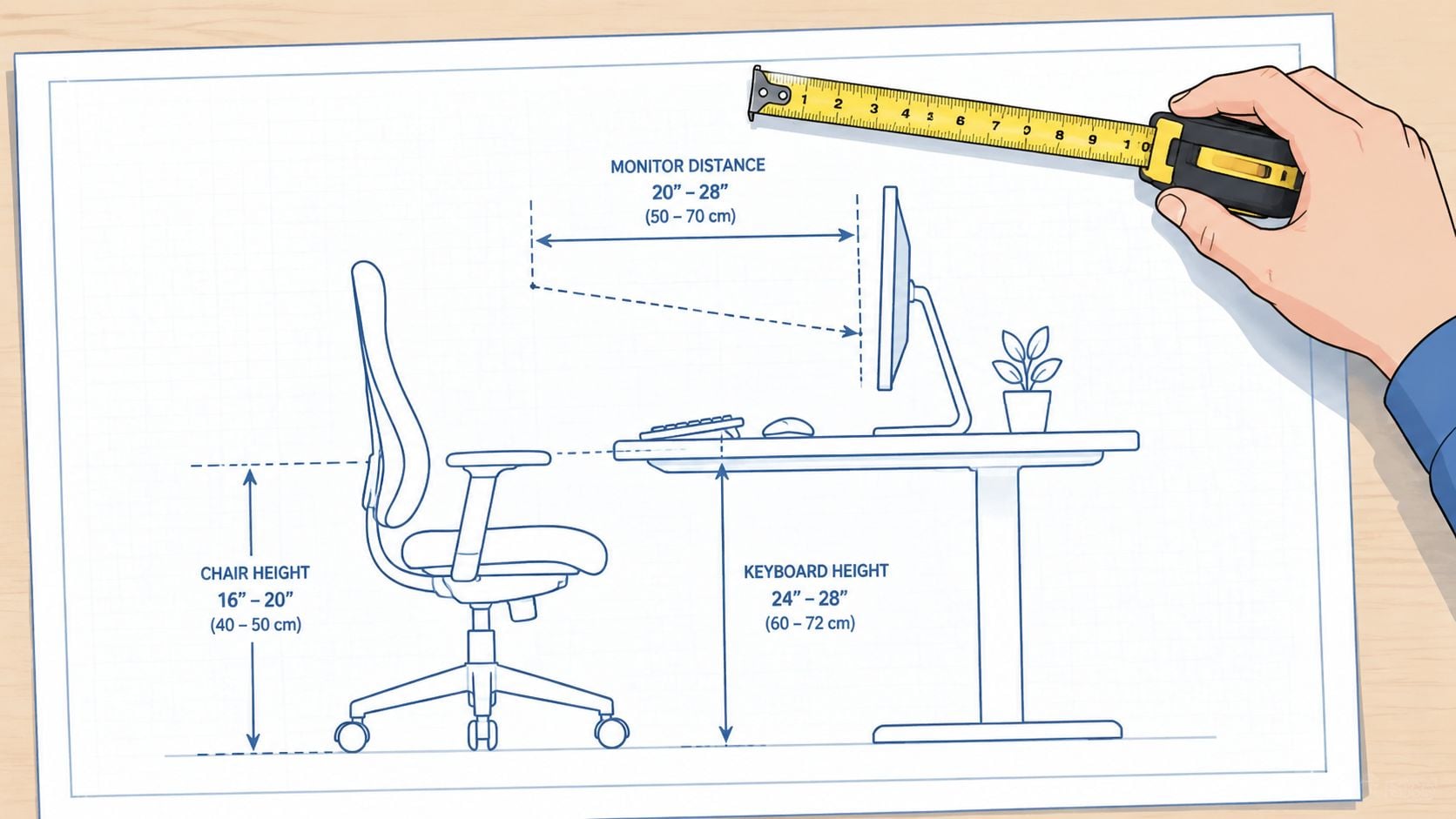
The room should fit the body before it fits the furniture style. That's where many desk setups go off track. People shop by finish, drawer count, or whatever looks good online, then try to force comfort afterward.
Start with body position
A strong ergonomic setup starts with simple placement. The monitor should be about arm's length away, with the top of the screen at or just below eye level, and the keyboard should let the elbows rest near 90 degrees, based on ergonomic guidance for desk geometry.
For laptop users, that usually means the laptop itself can't stay flat on the desk if it's the main screen. The screen sits too low. A stand or riser solves that, but it also means an external keyboard and mouse become the practical next step.
A few quick checks help:
- Screen height: The neck should stay neutral, not tipped down all day.
- Arm support: The shoulders should stay relaxed, not lifted.
- Mouse placement: Keep it right beside the keyboard so the arm doesn't drift outward.
- Leg room: Knees need open space, especially if the desk has center drawers or support panels.
A beautiful desk that forces the body into a bad position stops feeling beautiful very quickly.
Measure the room before shopping
Once posture is mapped out, the room itself needs a plan. In smaller Norwich homes, older colonials, apartments, and multi-use rooms, scale matters as much as style.
Use this simple measuring checklist:
- Measure the wall width where the desk will sit.
- Measure the room depth so there's enough space for chair movement.
- Note door swings, window trim, radiators, and outlets.
- Mark shared functions such as guest bed access, toy storage, or dining circulation.
- Check visual weight so the desk doesn't overpower the room.
A taped outline on the floor helps more than anticipated. It shows whether a chair will hit the bed, whether a file cabinet blocks a walkway, and whether the room still feels balanced.
For households comparing dimensions, this furniture measuring guide is a practical place to start.
Choose Your Anchor Pieces The Desk and Chair
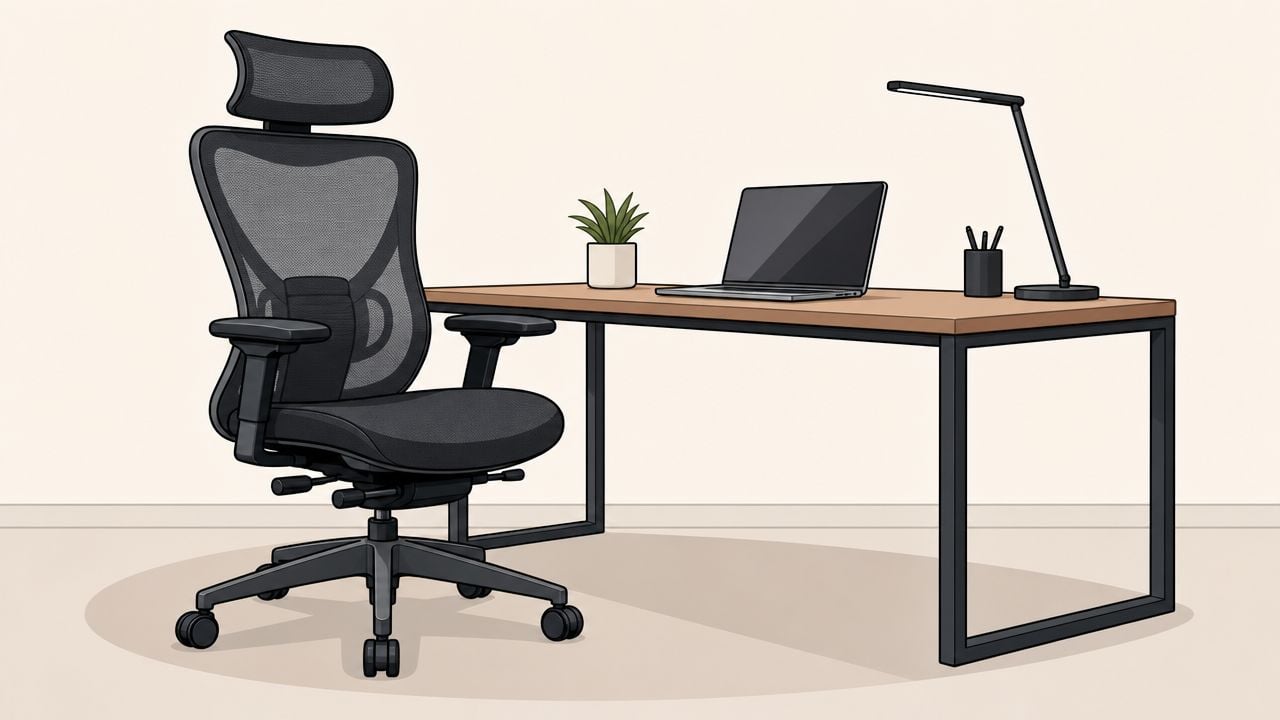
The desk and chair do most of the heavy lifting. Everything else is secondary. If these two pieces are wrong, the room never feels settled.
Pick the desk by function first
Desk shopping often starts with appearance, but function should lead. Surface depth matters more than many shoppers realize. A desk should be at least 24 to 30 inches deep so there's enough room for a monitor, keyboard, and writing area without feeling cramped, according to home office desk depth guidance.
That one detail changes daily use. A shallow desk pushes the screen too close, leaves nowhere for notes, and creates instant clutter. A deeper top gives breathing room. It also helps in multi-use rooms, where the desk may need to support laptop work one moment and household paperwork the next.
Different desk styles solve different problems:
- Executive desks: Best for dedicated offices where storage, presence, and a larger work surface matter.
- Writing desks: Good for lighter visual weight in bedrooms and living areas.
- Corner desks: Smart when two walls can be used efficiently.
- Compact L-shaped desks: Helpful when work needs one zone for the computer and another for paperwork.
- Wall-friendly desks with closed storage: Useful in rooms that still need to look polished after work hours.
A large desk isn't automatically better. In a modest room, too much desk can make the chair path awkward and leave the whole space feeling crowded. A right-sized desk often works harder.
For households trying to combine work, storage, and flexibility, this guide to multifunctional home office furniture is worth reviewing.
What a chair needs to do
A good office chair should disappear into the workday. It shouldn't demand constant shifting just to stay comfortable. Looks matter, but support matters more.
The most useful features to look for are:
- Adjustable seat height: Feet should rest comfortably while the desk and keyboard position still work.
- Supportive back shape: The chair should encourage an upright posture without feeling rigid.
- Manageable arm design: Arms should help, not block the desk edge.
- Breathable or easy-care materials: Especially important in rooms that get warm or serve multiple functions.
- Smooth movement: The chair should move easily without fighting the floor surface.
The chair earns its place by supporting long, ordinary hours. Not by impressing for five minutes in a showroom.
This is where investment-grade thinking pays off. A desk may define the room visually, but the chair defines the day physically. In many homes, a better chair and a properly sized desk solve more problems than a long list of gadgets.
Shoppers in Eastern CT often want the same thing they want in dining or living furniture. Quality that lasts, scale that fits the room, and options that feel customized to the household. That's why custom thinking matters here too, much like Canadel Custom Dining or the F9 Custom Sofa process, where details can be shaped around the room instead of forcing the room to adapt.
Arrange Your Tech for Daily Comfort
Furniture creates the structure. Technology determines how that structure performs from morning through late afternoon.
Set up the screen first
The screen should be the first thing placed, because everything else follows it. Once the monitor sits in the right spot, the keyboard and mouse can be aligned to match the body instead of the other way around.
For a single-monitor setup, center the screen directly in front of the user. For a laptop-and-monitor setup, the main screen should be the one used most often, and it should sit in the primary line of sight. If a laptop stays open beside it, angle it slightly rather than twisting the whole torso toward it.
Keyboard and mouse placement should feel compact. When the mouse drifts too far away, the shoulder starts carrying extra work all day. That's one of the easiest setup problems to fix.
Choose accessories that solve a real problem
Not every desk needs every accessory. Modular upgrades usually work better than buying everything at once. Guidance on flexible setups notes that a good chair and proper monitor height often provide more value than a full sit-stand desk, and that simple additions like glare control and task lighting can reduce fatigue and eye strain during long video calls, as outlined in this modular home office setup advice.
That's a useful filter for spending decisions. Start with what changes comfort most.
A practical order looks like this:
- Laptop stand or riser: Necessary if the built-in laptop screen is the main display.
- External keyboard and mouse: Important once the laptop screen is raised.
- Monitor arm: Worth adding when desk space is tight or the user switches between tasks often.
- Task lighting: Helpful for paperwork and early-evening work.
- Webcam positioning support: Useful when camera angle matters for frequent meetings.
A sit-stand desk can be worthwhile for some households, especially if they regularly switch tasks during the day. But for many people, it's not the first dollar that should be spent. Better seating, better screen height, and less glare usually deliver a more noticeable improvement.
Master Lighting Storage and Cable Management
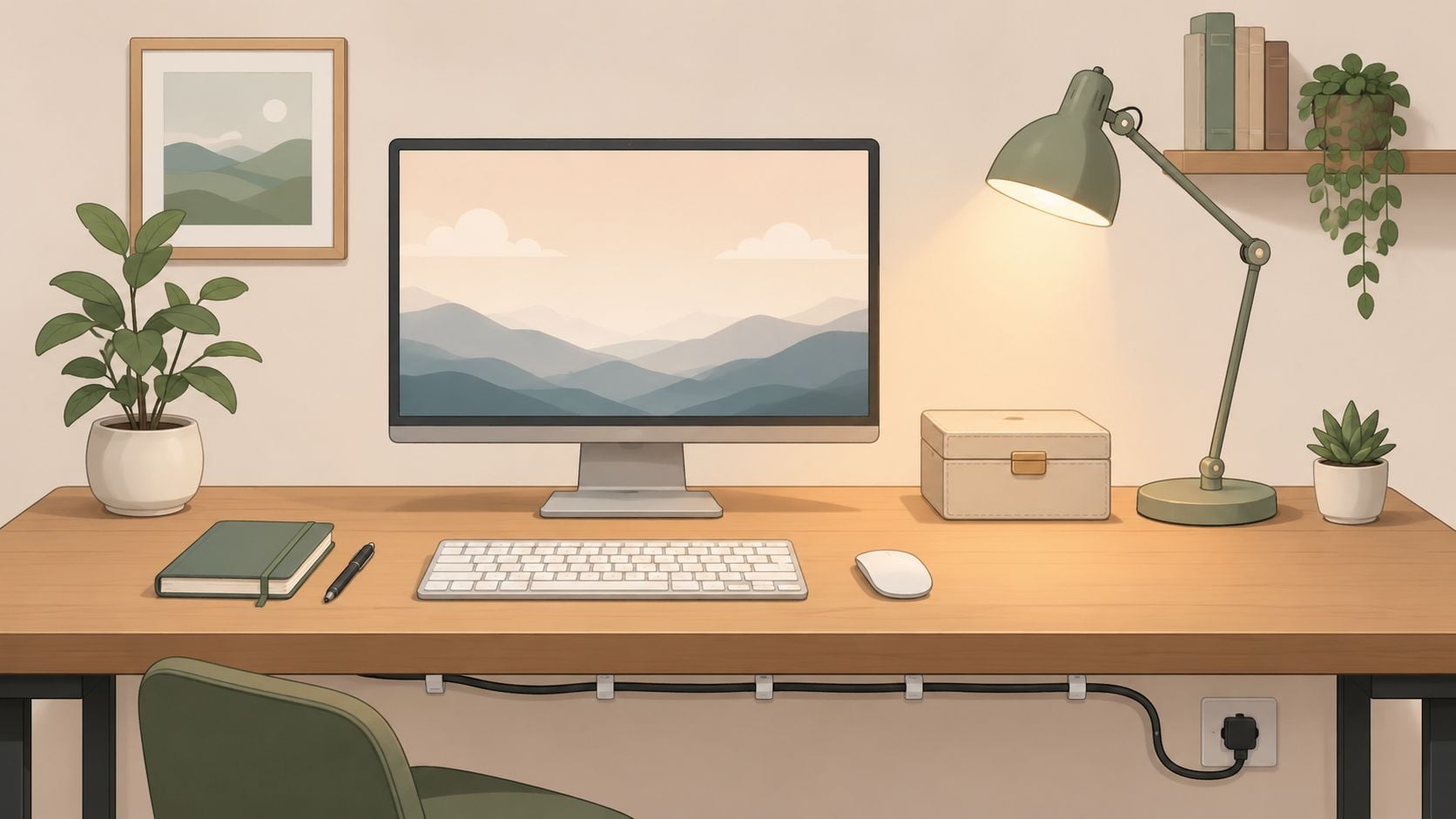
An office can have the right desk and chair and still feel tiring. That usually comes down to three overlooked details. Light, storage, and visible cables.
Light the face and the work surface
Most work from home desk setup problems blamed on “the room” are really lighting problems. Overhead light alone is often too flat at night and too harsh for screens. A better approach layers the room.
Use a mix of:
- Ambient light: General room lighting that keeps the space from feeling gloomy.
- Task light: A focused lamp for writing, reading, and keyboard visibility.
- Soft accent light: Something warm that makes the room feel residential, not sterile.
For video calls, glare matters as much as brightness. Light hitting the screen from the wrong angle causes squinting and reflections. Light behind the user can make the face disappear on camera. A lamp placed thoughtfully often solves both.
Households that rely heavily on video meetings and cloud-based work should also make sure the digital side of the office is dependable. It helps to compare internet plans for remote work before blaming every dropped call on the desk setup itself.
For rooms that need a softer, layered look, these living room lighting ideas translate surprisingly well to home office corners too.
Good lighting should make the room easier to work in and easier to live with after work ends.
Hide clutter without losing access
Storage should reduce friction, not create it. Open shelves look attractive when styled lightly, but many workspaces need at least some closed storage for files, chargers, notebooks, and the bits that pile up quickly.
A balanced storage plan often includes one visible element and one concealed one. For example, a small bookcase can hold reference materials and a decorative object, while a closed drawer unit hides everything that turns a desk into a catchall.
Cable management is the final polish. It's also a safety issue, especially in homes with children, pets, or adjustable desks. Cords should have a clear path, and if the desk changes height, cable slack has to be planned so nothing pulls tight or snags. The cleaner the cable path, the calmer the room feels.
A few methods work well:
- Under-desk trays: Good for power strips and excess cable length.
- Clips along the back edge: Keep charging leads accessible but controlled.
- Cable sleeves or wraps: Help where several cords travel together.
- Furniture placement near outlets: Reduces the need for visible extension cords across walking areas.
Find Your Style and Budget
A home office should work hard, but it still has to belong in the house. The most successful rooms don't look like imported office furniture landed in the middle of a bedroom. They look considered.
Match the office to the rest of the home
That starts with style cues already present in the home. A traditional house often suits warmer wood tones, framed storage, and a chair with a softer silhouette. A more modern interior usually handles cleaner lines, lighter visual profiles, and simpler hardware. Transitional rooms can comfortably mix both.
Color also matters. In a guest room office, matching the desk finish to existing case goods often makes the workspace feel intentional. In a living room corner, a lower-contrast desk can blend in better than a stark statement piece. If the goal is a calm visual field, fewer materials usually help.
For readers collecting visual ideas before making final choices, this roundup can help create your ideal remote workspace. Inspiration is useful when it's followed by measuring and prioritizing.
Remote work has also changed the spending conversation. Industry reporting notes that employees have saved an average of $6,000 annually in costs like commuting and lunches, and that reinvesting part of that into a durable setup can support long-term health and productivity, according to remote work savings data.
Home Office Budget Approaches
Not every household should approach the office the same way. Some need a practical upgrade right now. Others are furnishing a long-term workspace and want pieces that will stay with the home.
| Investment Tier | Focus | Gorins Solution |
|---|---|---|
| Essential refresh | Correct the biggest comfort problems first | Start with a supportive chair, a properly sized desk, and look through the Clearance section for value-driven finds |
| Balanced upgrade | Improve comfort and appearance together | Combine a well-scaled desk with storage that matches the room, then use Promotional Financing with equal monthly payments if that suits the purchase |
| Long-term investment | Create a permanent, tailored workspace | Choose investment-grade pieces with customization options and finishes that fit the home for the long haul |
A sensible budget usually follows this order:
- Fix comfort first. Chair, desk size, screen height.
- Add organization next. Storage and cable control.
- Finish the room last. Lighting, decor, and style refinements.
For shoppers trying to weigh value, timing, and longevity, this smart furniture shopping guide lays out a practical decision process. Gorins Furniture & Mattress also offers home office furniture categories, custom-order possibilities, and promotional financing options that can make a permanent setup more manageable for local households.
Since 1936, Gorins Furniture & Mattress has helped Norwich and Eastern CT families create homes that work beautifully for everyday life. For anyone ready to move beyond the temporary table-and-laptop routine, a visit to the Norwich showroom is the simplest next step. Shoppers can also take the online Style Quiz or browse the Clearance section for value-focused options that fit the room, the routine, and the budget.